
Console
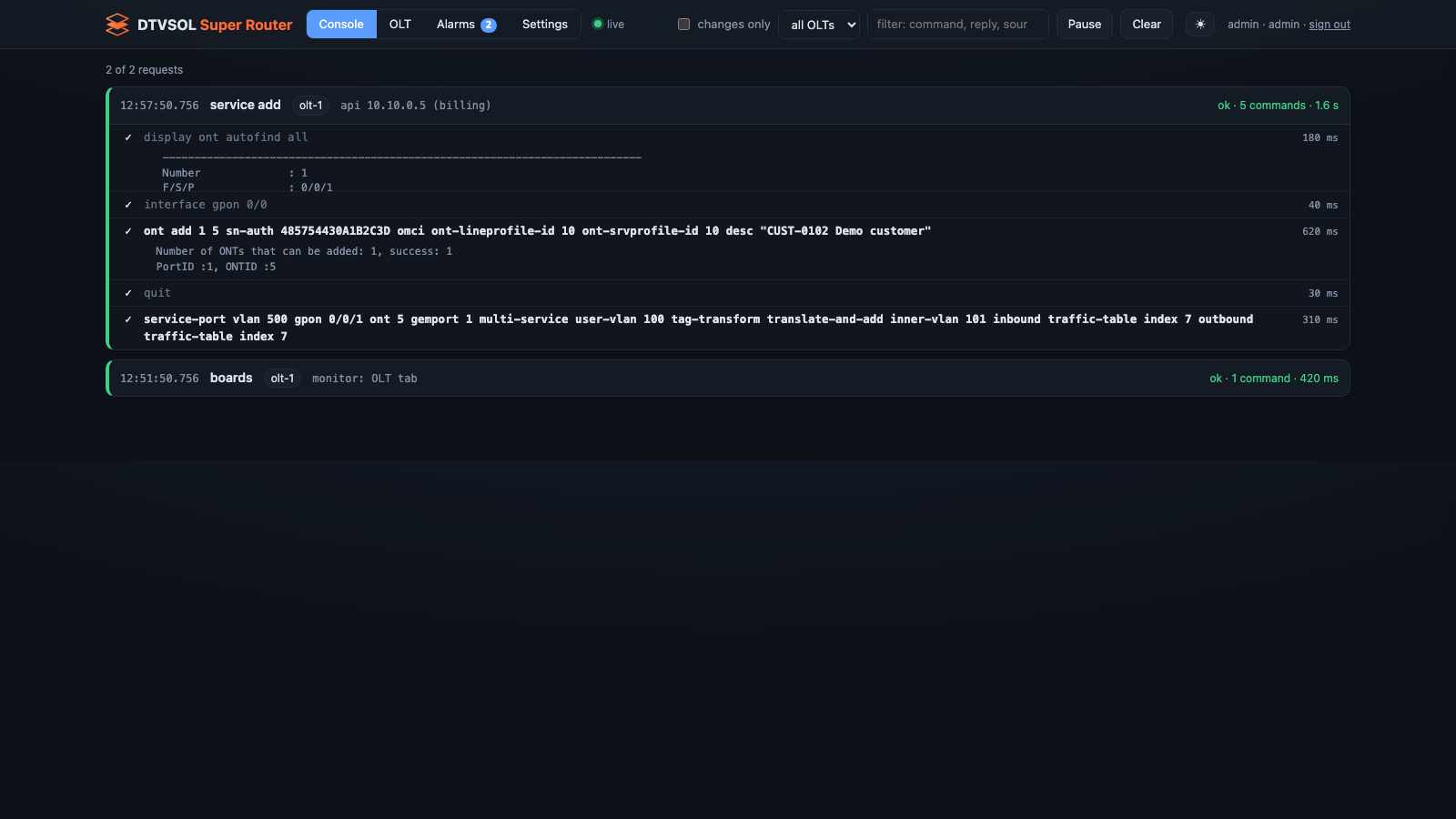
The Console tab shows every command the router sends to an OLT and the OLT’s reply, as it
happens. It shows the work of every part of the router: services created by the billing, the
plan sync, saves and backups, and commands you run with dtvsol olt.
Reading it
Section titled “Reading it”Each request is one block: what it was for, which OLT, and where it came from. Inside it, each command with its reply.
- A read-only request folds itself once it finishes without errors. The changes are what matter, so they stay open.
- A command the OLT refused is marked, with its error.
- The line at the top counts what is shown.
The page keeps the latest 400 requests. Older ones are in /opt/dtvsol/log/olt-commands.jsonl
on the router.
The dot next to the tabs shows whether the live stream is connected.
Controls
Section titled “Controls”| Control | What it does |
|---|---|
| changes only | hide requests that only read |
| OLT list | show one OLT, or all |
| filter | show requests whose command, reply or source contains the text |
| Pause | stop adding new requests while you read; they are added when you resume |
| Clear | empty the page (the log on the router is not touched) |
When to use it
Section titled “When to use it”- A service call answered
502: find the request and read the OLT’s own words. - To see exactly what the router changed on an OLT, and when.
- To watch the plan sync or an
olt initrun.
Nothing on this tab can send a command to an OLT.